

Registration Open for IC3 Live Virtual Fair & Symposium (30 September)
September 28, 2020
Get to Know OHIO: A webinar for Indian students
July 28, 2021
Now access the PWS Website with the single tap from your homescreen in mobile.
Add to Home screen is a feature available that allows a user to “install” a web app, ie. add a shortcut to their Home screen representing their favorite website so they can subsequently access it with a single tap.
Installation Instructions:
For Android users:
- Launch Chrome (or any web browser) for Android.
- Open the website (www.partapworldschool.edu.in)
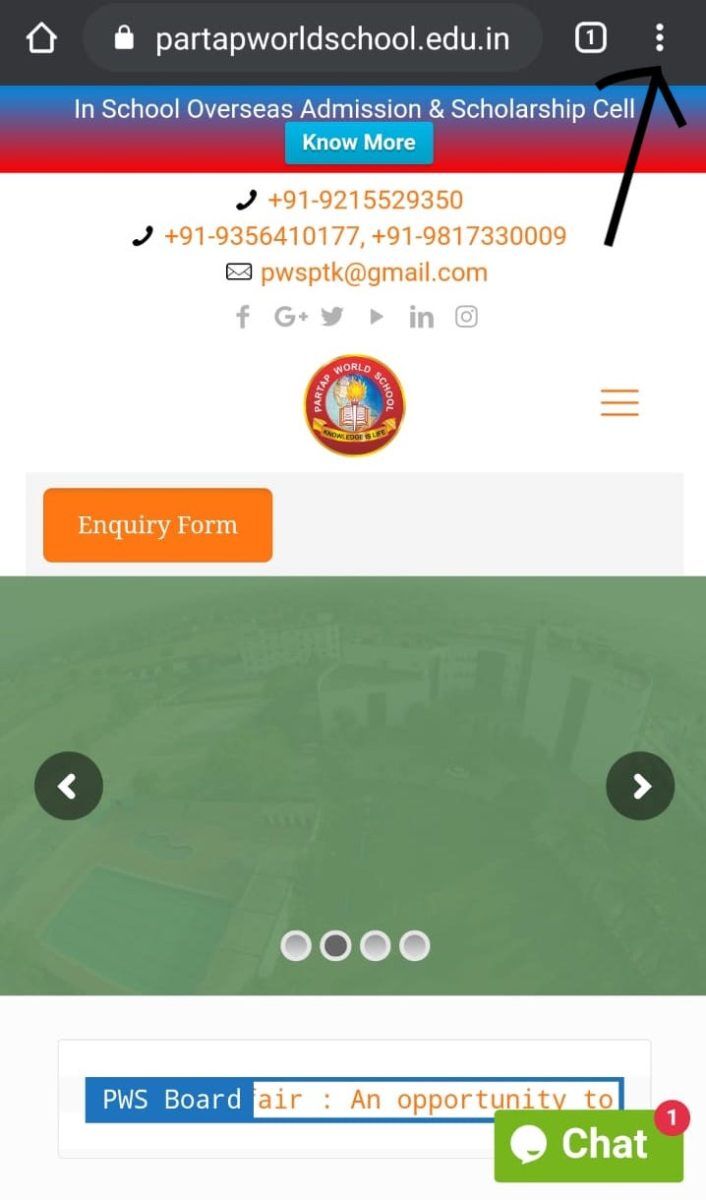
- Tap the menu button (Three Dots besides the web address)
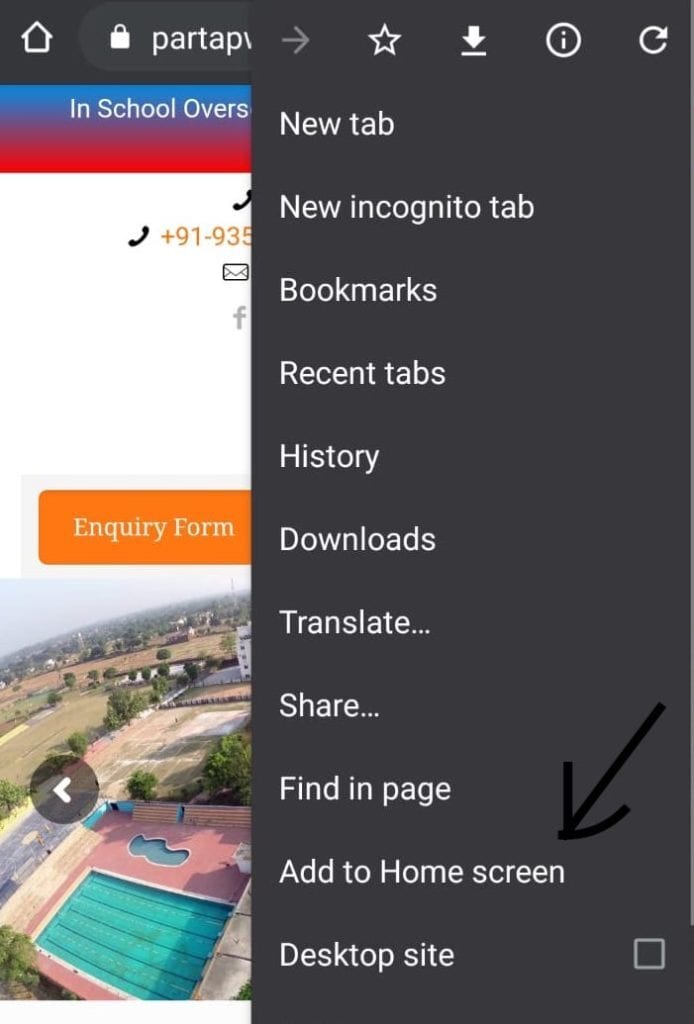
- Tap Add to homescreen. You’ll be able to enter a name for the shortcut and then Chrome will add it to your home screen.
For iOS users:
- Add a shortcut (+) to your home screen
- Tap on the share button
 at the bottom of the browser
 - Scroll left (if needed) or scroll down to find the Add to Home Screen button (+).
 at the bottom of the browser